

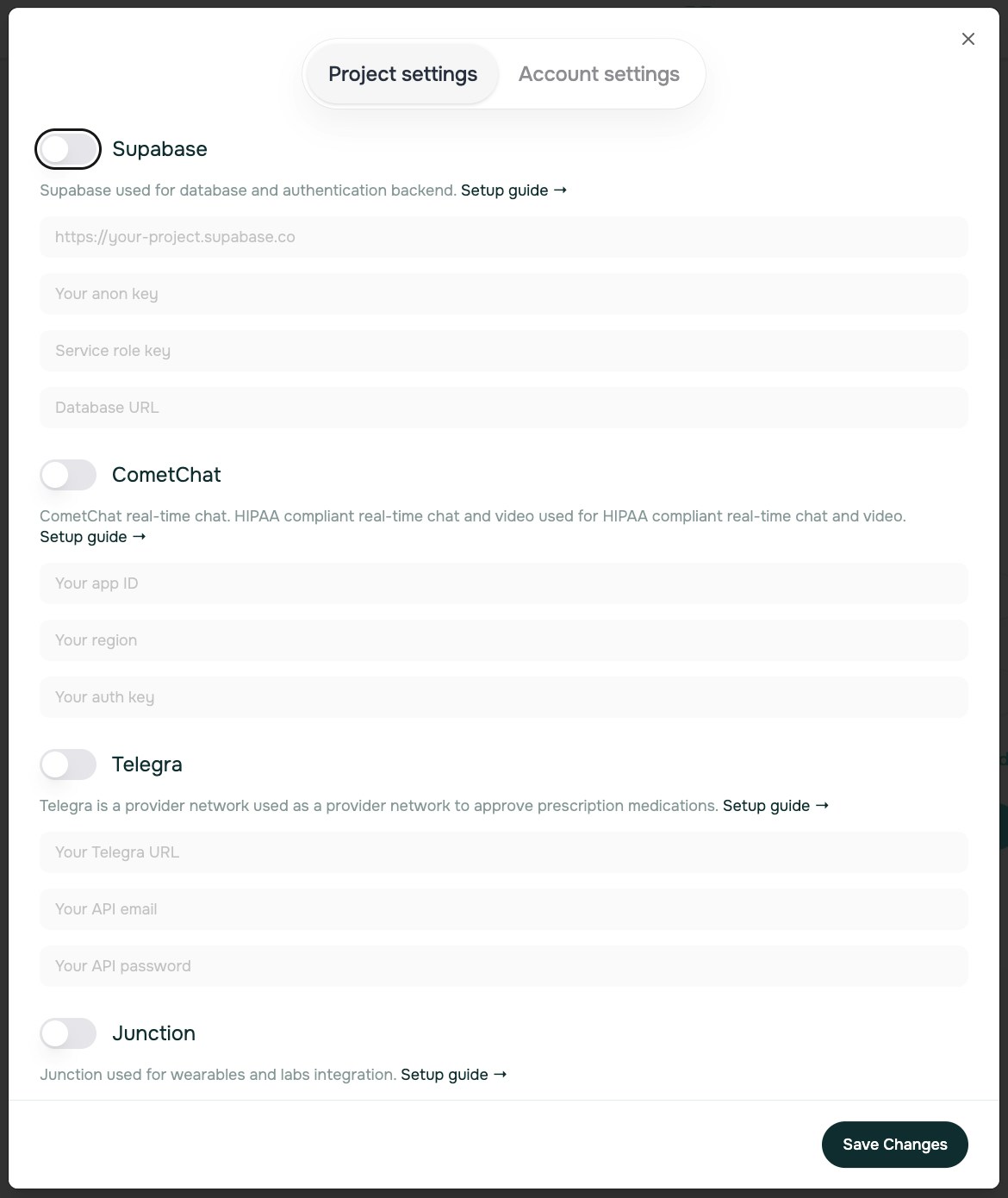
1. Supabase Database Setup
What it’s for: Setup project to store all platform data - patients, appointments, products, and more.Create Account
Go to supabase.com and create a free account
Create Project
Click “New Project”, name your project, and set a strong database password (avoid using special characters).
Save this password somewhere secure, you’re going to need it later on. Note: Wait 2 minutes after creating your Supabase project before connecting Specode.
Get API Keys
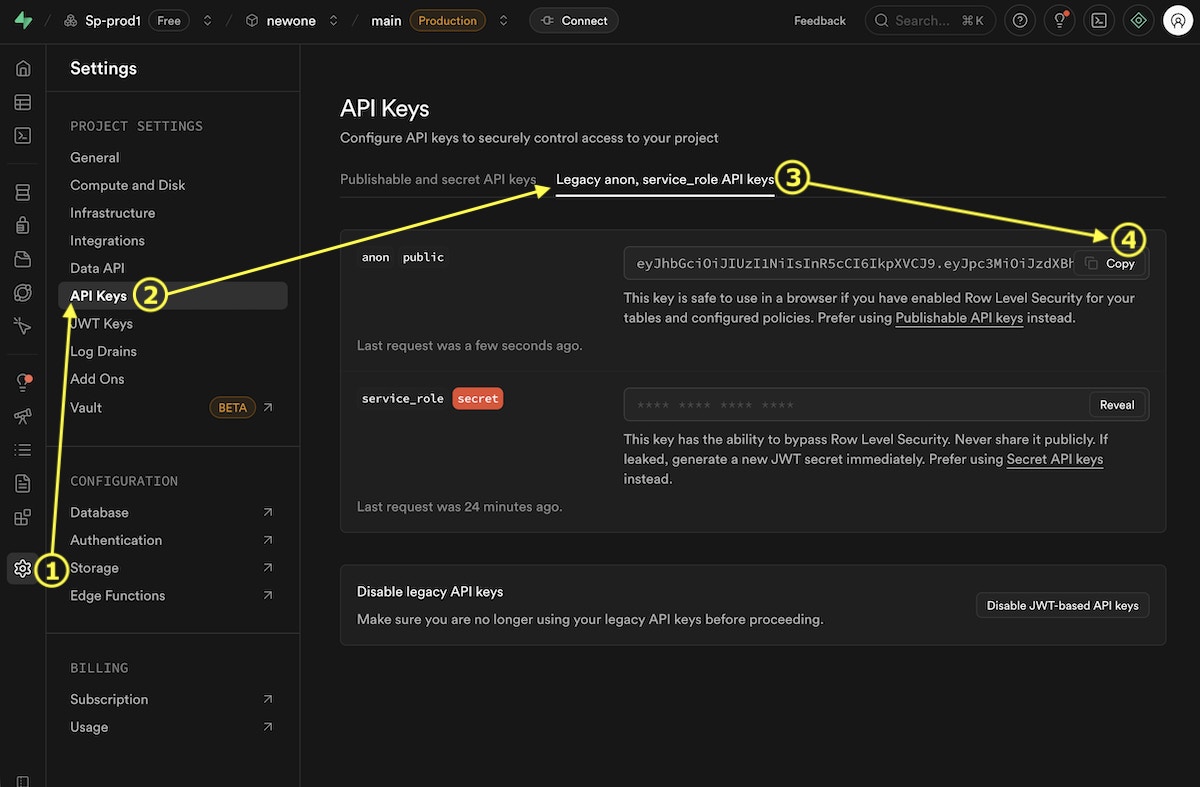
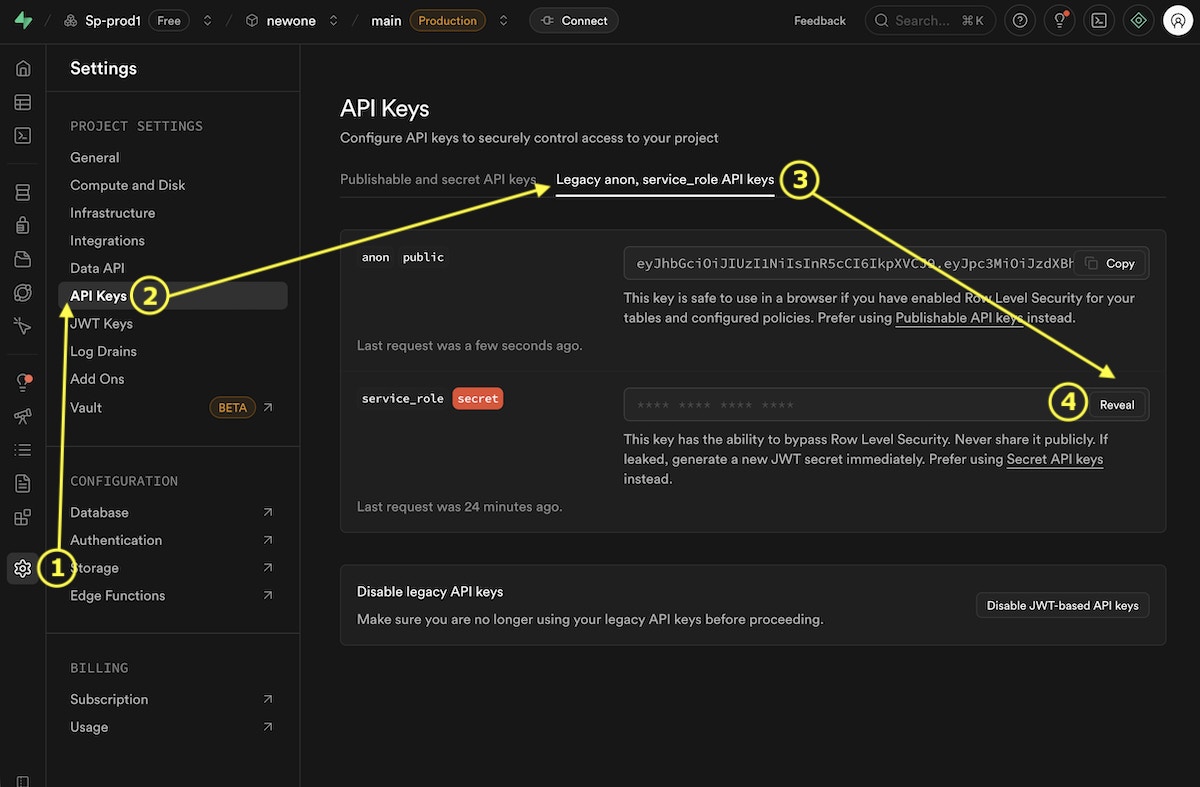
Navigate to Settings → API and copy these keys: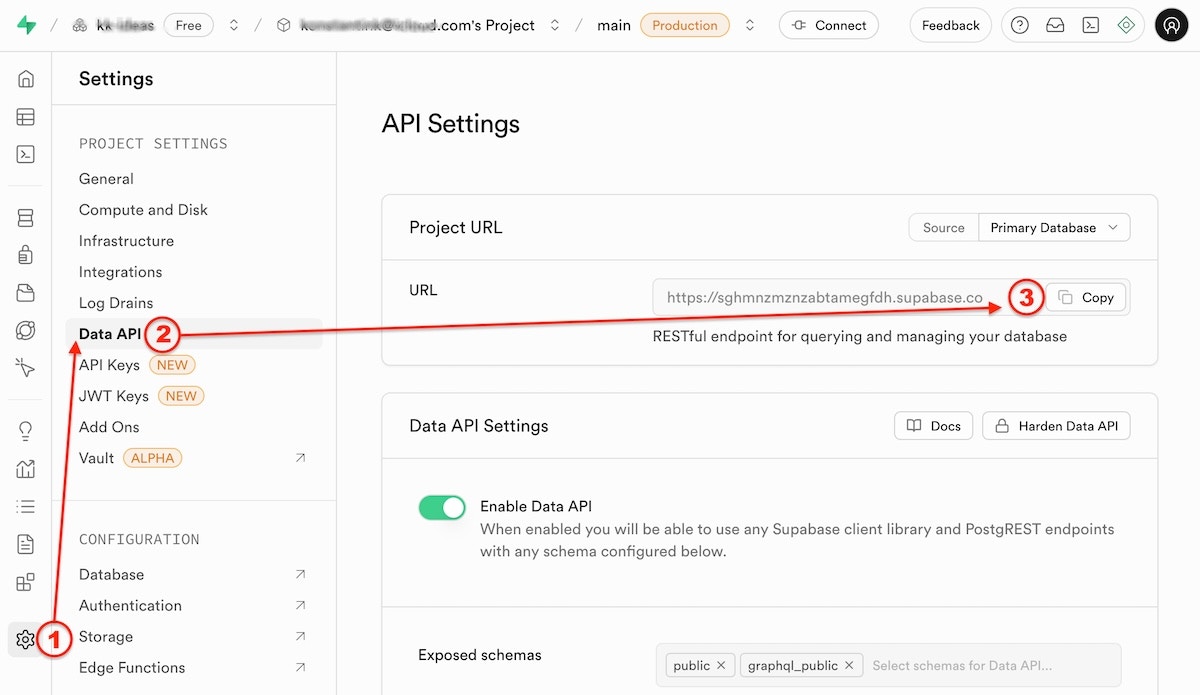
Project URL→NEXT_PUBLIC_SUPABASE_URL
anon public→NEXT_PUBLIC_SUPABASE_ANON_KEY
service_role→SUPABASE_SERVICE_ROLE_KEY
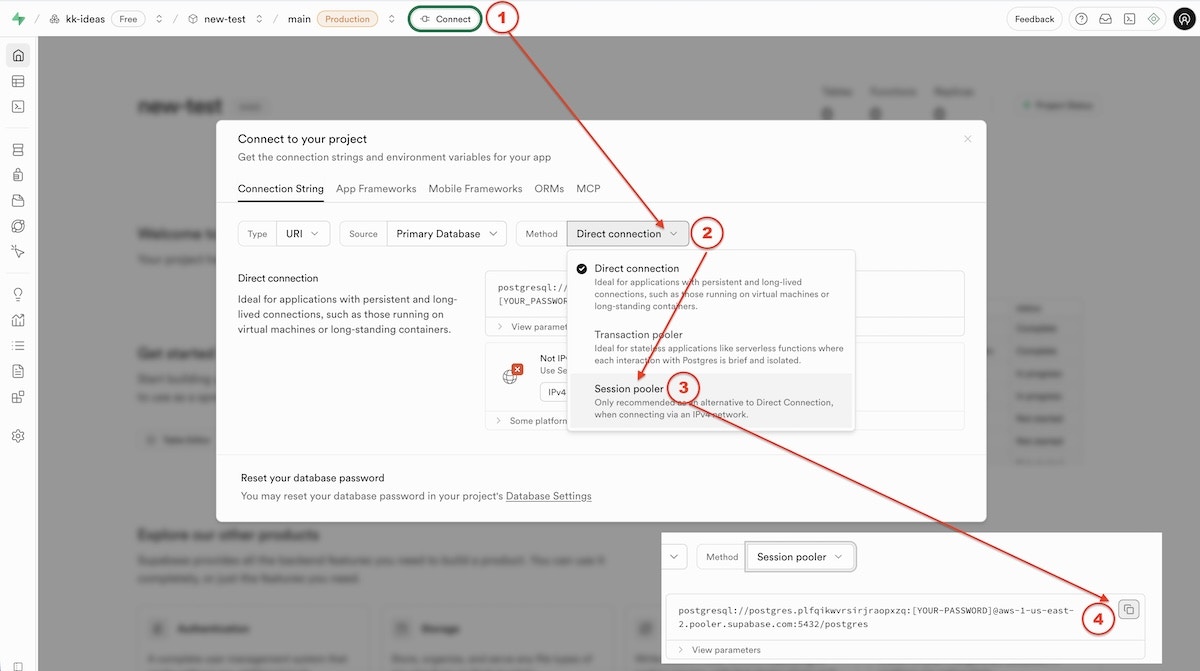
Database URL
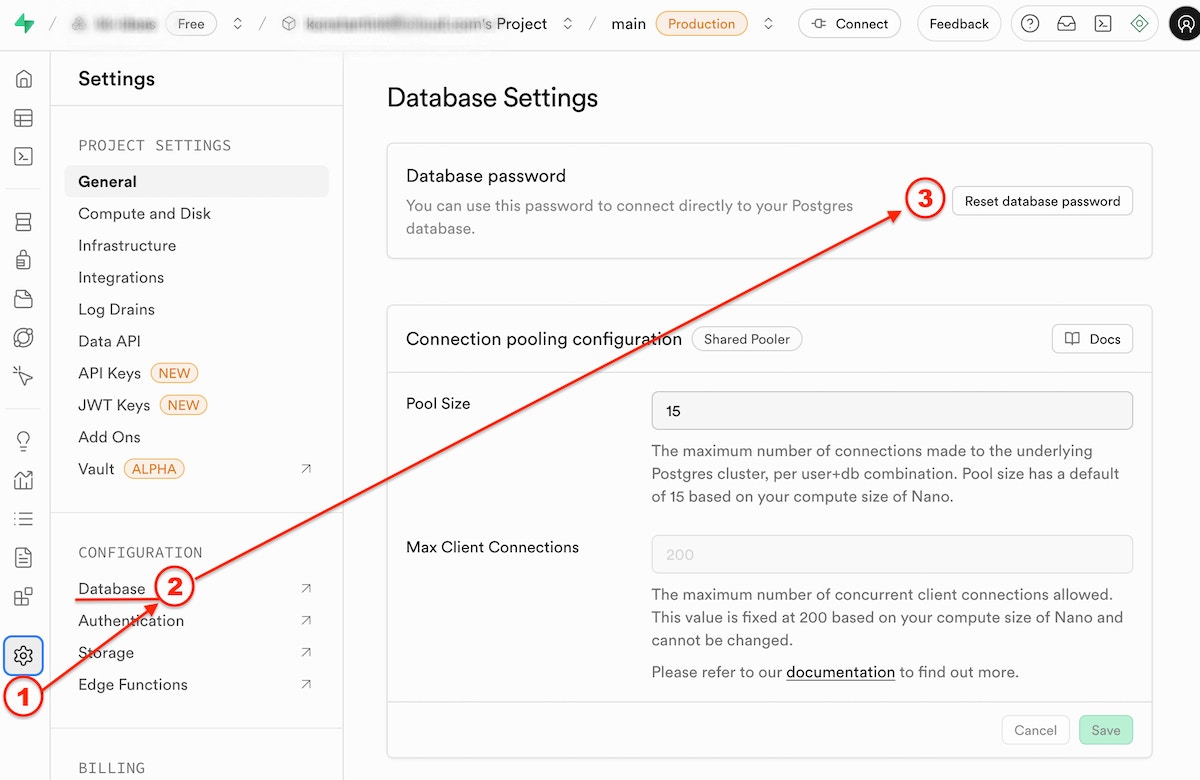
Reset the Supabase database password: If you’ve lost the database password, you can reset it in Supabase Project Settings > Database > Reset database password.
2. CometChat Video Integration
What it’s for: Powers HIPAA-compliant video appointments between patients and healthcare providers.Contact CometChat
Contact CometChat to set up a HIPAA-compliant subscription for healthcare use. Or create a free account for testing purposes (no PHI!) at cometchat.com.
Get API Keys
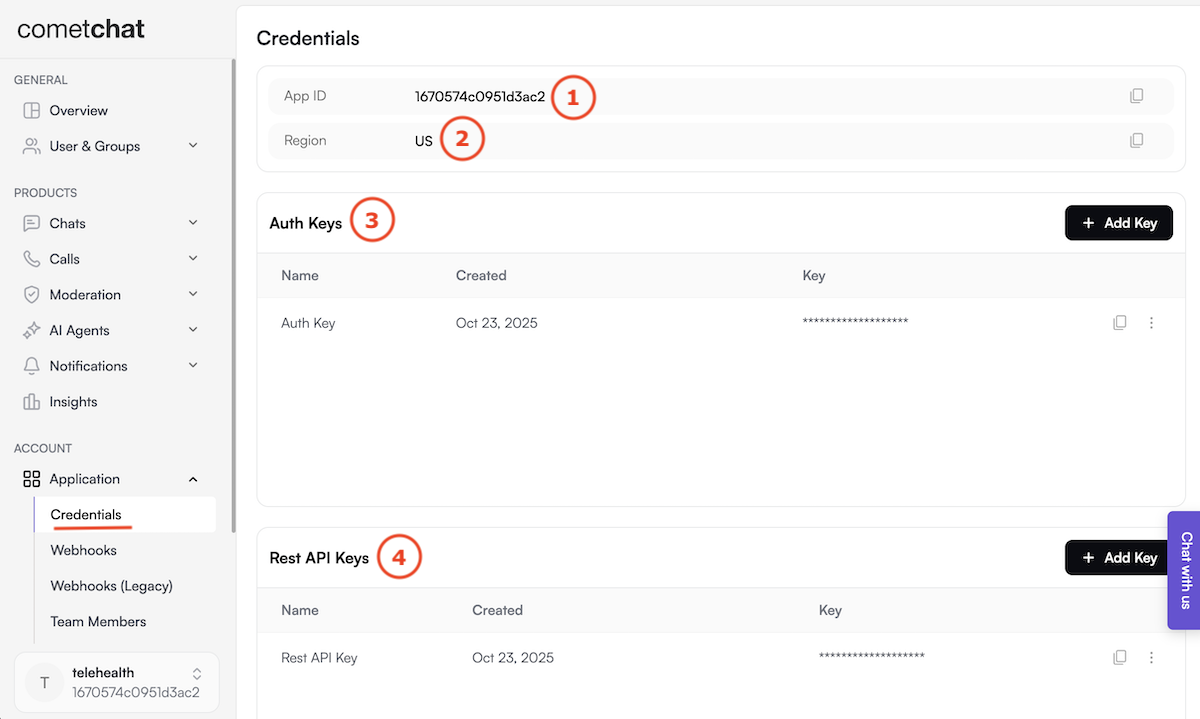
Once approved, you’ll receive your credentials from the CometChat dashboard (left-side menu > Application > Credentials):
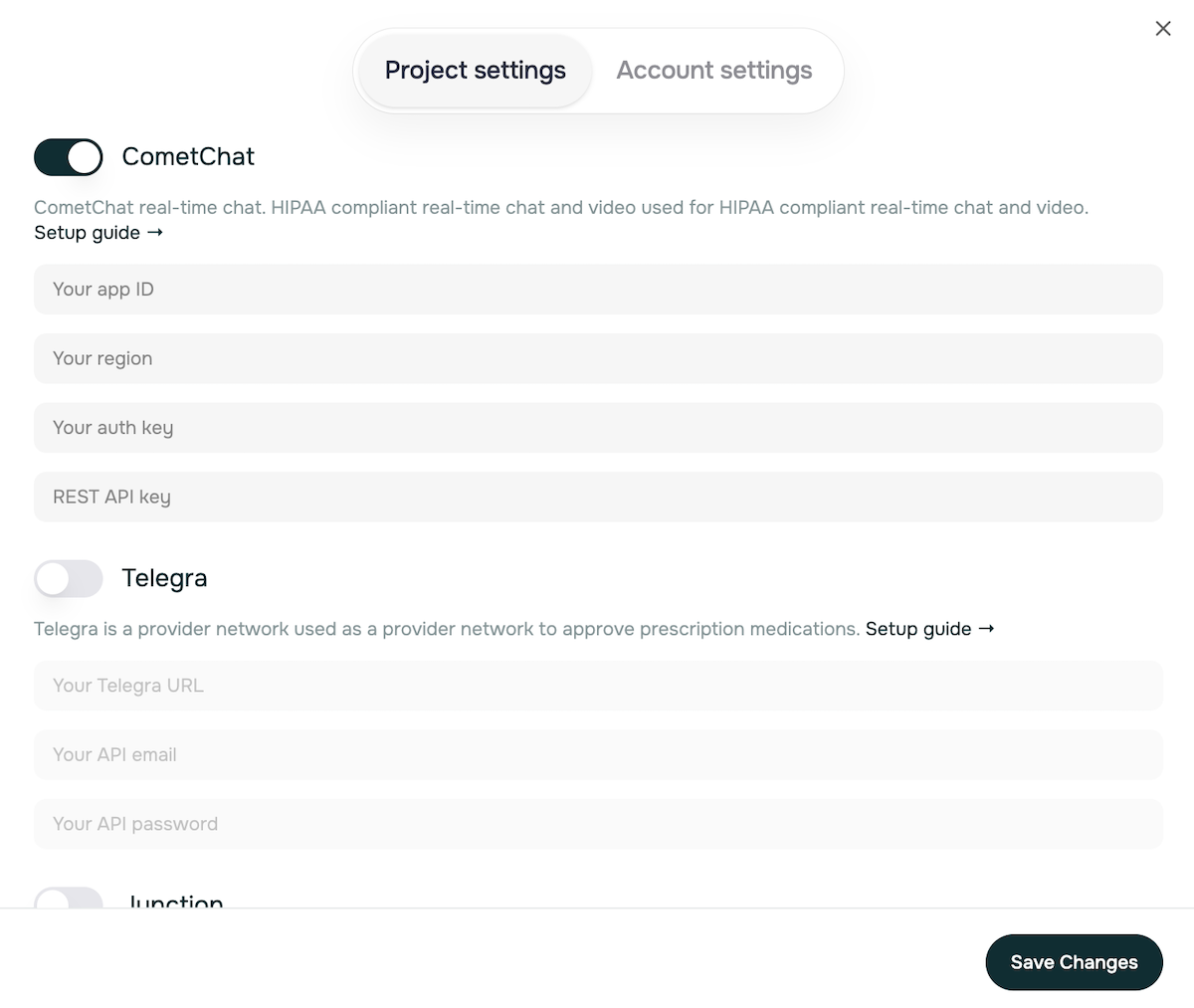
App ID→ e.g.1670574c0951d3ac2Region→us(in lowercase)Auth Key→ e.g.2cfa119703d62ed75774da4e33f9f96f85fdf96fRest API Key→ e.g.393a5593ceb9b9a638524fedad6f54151fc2019c
HIPAA Compliance Required: Standard CometChat accounts are not HIPAA-compliant. You must specifically request and pay for HIPAA-compliant video calling services before going live with patient video consultations.
3. Telegra Integration (Optional)
What it’s for: Provides telehealth and remote monitoring capabilities for healthcare providers.Get API Keys
Once approved, you’ll receive your credentials:
Telegra URL→Telegra_URLAPI Email→Telegra_API_EMAILAPI Password→Telegra_API_PASSWORD
4. Junction Health Integration (Optional)
What it’s for: Integrates wearable device data and laboratory results for comprehensive patient monitoring.5. Stripe Payment Processing
What it’s for: Processes payments for healthcare products, consultations, and subscription services.Create Stripe Account
Go to stripe.com and create a business account
Get API Keys
Navigate to Developers → API Keys and copy:
Publishable key→NEXT_PUBLIC_STRIPE_PUBLISHABLE_KEYSecret key→STRIPE_SECRET_KEY
Configure Webhooks
In Developers → Webhooks, add endpoint:
your-domain/api/webhooks/stripe
Copy the signing secret → STRIPE_WEBHOOK_SECRETAdding Custom Services
Need to integrate with other services? You can add custom environment variables for any additional APIs or services.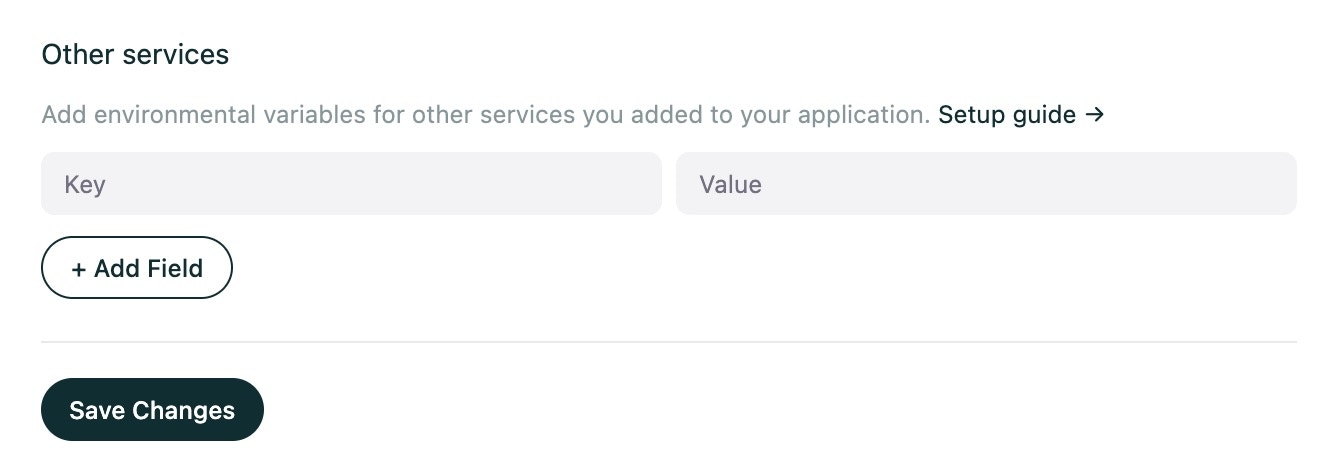
Need Additional Help? If you encounter issues during setup, refer to our Troubleshooting Guide or contact your project team for assistance with HIPAA-compliant service configuration.